The Node Your Laptop Cannot Run
Open a patch on a machine that is missing one of its plugins, and the nodes it cannot run are now held, drawn, and written back out exactly as you left them. Ctrl+S on the wrong laptop used to quietly delete them.
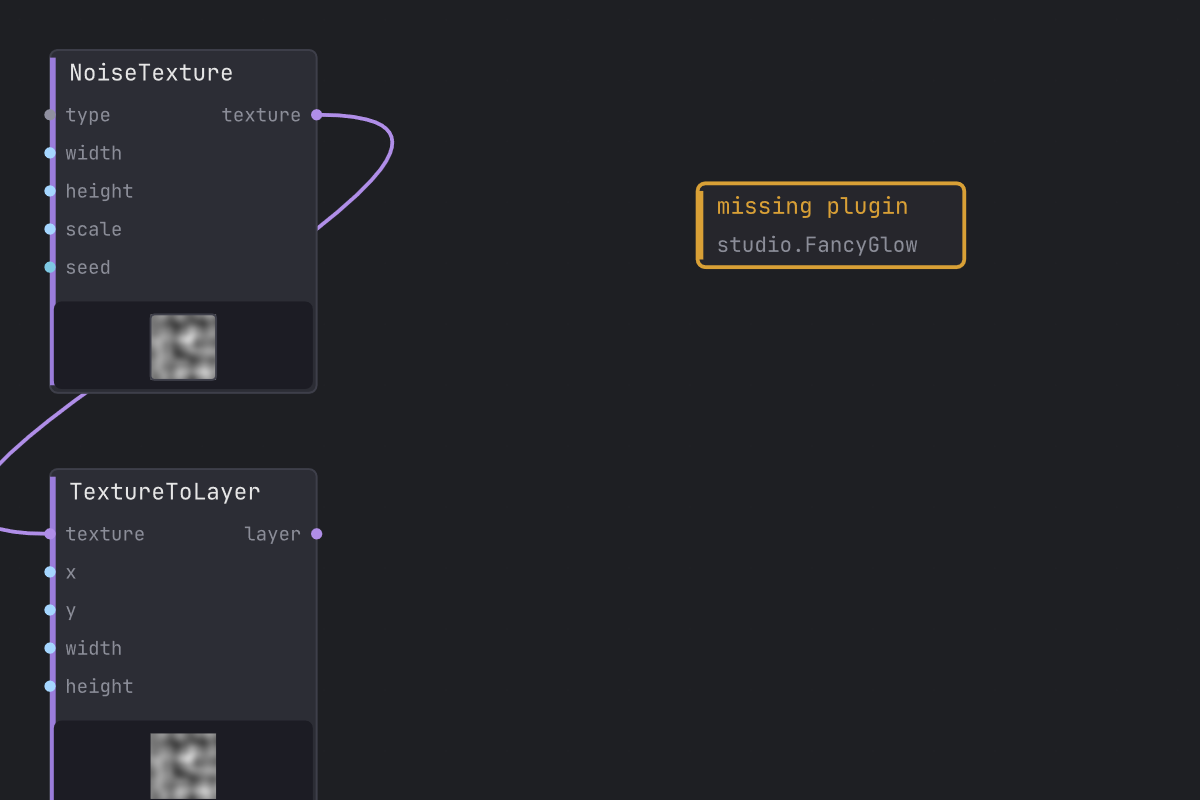
Here is a thing that used to happen, and it was not your fault.
You build a patch at the studio. It uses a plugin. Later you open the same patch on the laptop, which does not have that plugin, because laptops never have the plugin. Lux loads what it can, shrugs at the node it has never heard of, and drops it. You do not notice, because there is nothing to notice: the node is simply not there. You nudge something, hit Ctrl+S out of muscle memory, and the save writes the graph as it now stands, which is to say the graph without your node. And every wire that touched it.
You take the file home. The node is gone. The plugin was there the whole time. The patch just came back from a trip without it.
The node stays
A node whose plugin is missing is now kept, whole, exactly as the file carried it: its id, its position, the pin values you dialled in, its saved state. It does not run, because there is nothing to run it with. But it is written straight back out on the next save, byte for byte. Take the patch home to the machine that has the plugin, and the node wakes up with the value you left it at, wired to what it was wired to.
The save that used to destroy it now returns the file unchanged. That is the whole feature, and it is enforced by a test that compares the bytes the studio machine wrote against the bytes the laptop writes back, rather than against whatever we happened to emit last week.

And you can see it
Preserving the node on disk while leaving a hole in the canvas would have been its own small betrayal. You would open the patch, see a gap where your node was, reasonably conclude it had been eaten, and rebuild it by hand right next to the one that was never gone.
So it is on the canvas, where you left it, wearing amber and naming the plugin it is waiting for. Amber and not red, because red is what a node wears when it has failed and you have to go and fix it. Nothing here has failed. Your patch is fine. Your patch is, in fact, precisely as fine as it was when you saved it. You are simply on the machine without the plugin, and now the machine is willing to say so out loud instead of redecorating while you are not looking.
The wires into that node are kept in the file too, though the canvas does not draw them yet: with no plugin to declare the node’s pins, there is nowhere honest to anchor a wire to. They come back with the plugin.
Including the ones you tucked away
Wrapping an expensive effect in a subpatch is the normal thing to do with an expensive effect, so the guarantee has to survive being folded up. It does. A missing plugin nested inside a subpatch is held exactly like one sitting out in the open, and so are the wires around it, all the way down through however many layers you have nested.
This one was worth being careful about, because the way it fails is so polite. A subpatch keeps its own little graph and writes it out itself, and an early cut of this work taught the outer graph to hold on to the parked wires while quietly forgetting to tell the inner one. The node came home. The node came home unwired. Nothing was missing, so nothing looked wrong, and you would have found out about it somewhere around the first chorus. Both writers now ask the graph the same question, so there is no longer a second place to forget the answer.
And the Delete key stays honest
Holding on to a wire whose far end is a node you cannot run creates one new way to be wrong, and we found it: delete the node at the near end, and the file would still cheerfully mention the one you just deleted. A patch that refers to a node it does not contain. Nothing complained. It loaded, it saved, it loaded again, carrying the same small lie forward every time, because the wire never got far enough through the loader to be noticed.
Delete now takes the parked wire with it, and Ctrl+Z brings both back. That second half matters more than it sounds: the tidy version of this fix quietly swaps a corrupt file for a vanished wire, which is the kind of trade you only discover in front of an audience. Undo puts your patching back the way you drew it, missing plugin and all.
If you already have a patch with one of those phantom wires in it, opening it in this build cleans it up and tells you it did, rather than carrying it around for another few months.
The smaller print
This lands on top of the save determinism fix, which stopped Lux from rewriting your file’s node order every time you opened it. The two are the same promise from different directions: a patch you did not change should not change. Not its bytes, not its node order, and not, it turns out, its actual nodes.